Technical Issues
Dear Players,
If you experience any problems with Astrum Play, please report them here.
For troubleshooting, please provide:
- A clear description of the issue,
- Screenshots (if applicable),
- Diagnostic logs.
How to Collect Diagnostic Files
Open Astrum Play and click the question mark (?) icon in the top-right corner.

Select "Run Diagnostics" from the menu.

The system will automatically gather the required data.
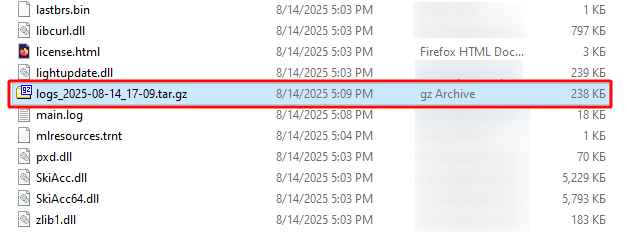
Attach the file named logs_2025-XX-XX_XX-XX (where XX represents the date and time of collection) to your support request.